Binary quick start
Download Vmango, connect a libvirt host and open the web interface.
Vmango manages virtual machines across multiple local or remote libvirt hosts from one web interface. Configure your hypervisor, storage pools and networking first, then connect Vmango to launch and manage machines from your browser.
The example configuration documents settings for hosts, images, authentication and event hooks.
Choose a namespace and cloud, then review machine states, configured resources and IP addresses in that workspace’s inventory. Filter by host or state, and open a machine to inspect its settings or connect to its console. These screenshots use demonstration data; select a screenshot to view it at full size.
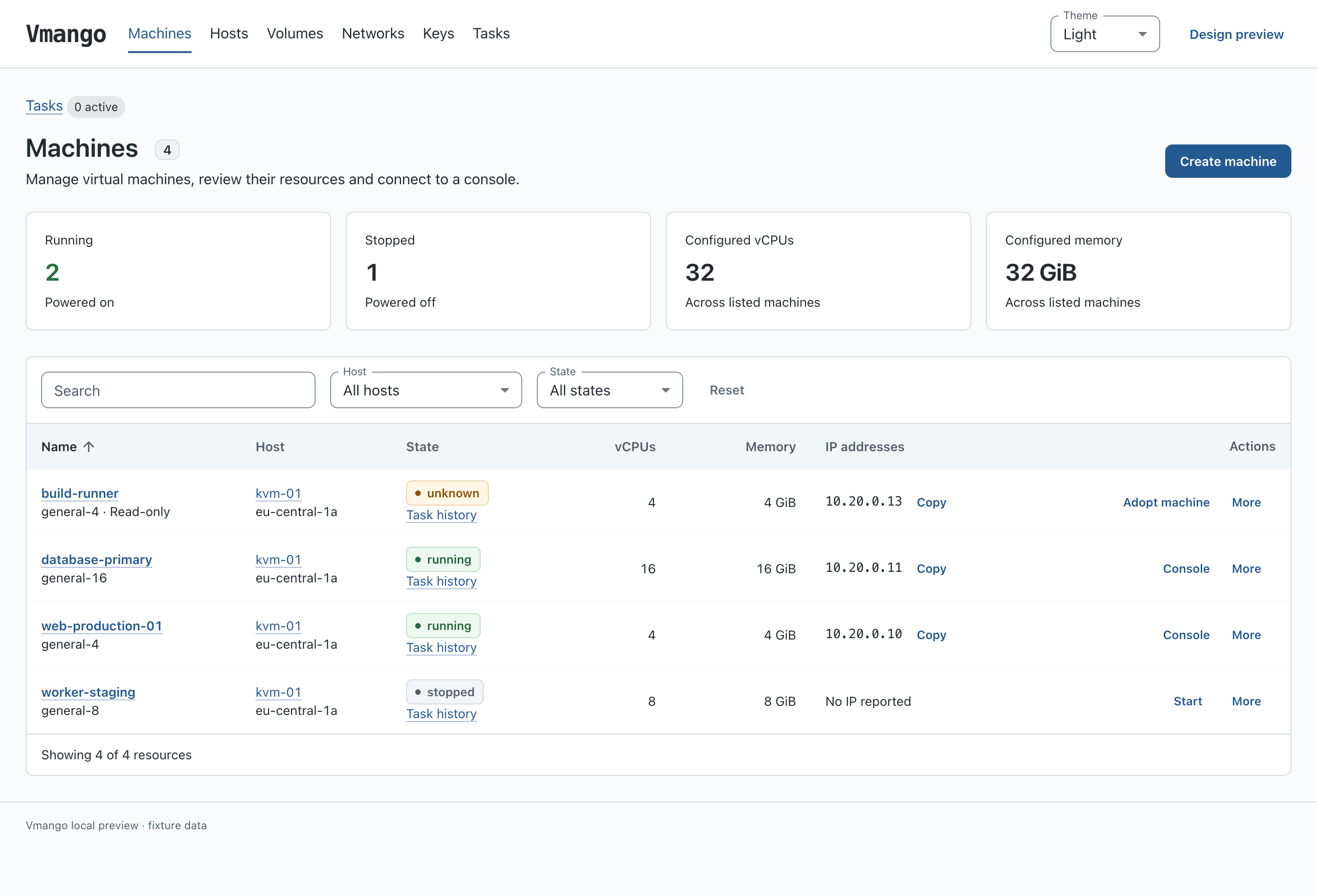
Machine inventory and resource summaries.
The creation form shows the CPU, memory and boot disk included with the selected instance type before you launch a machine.
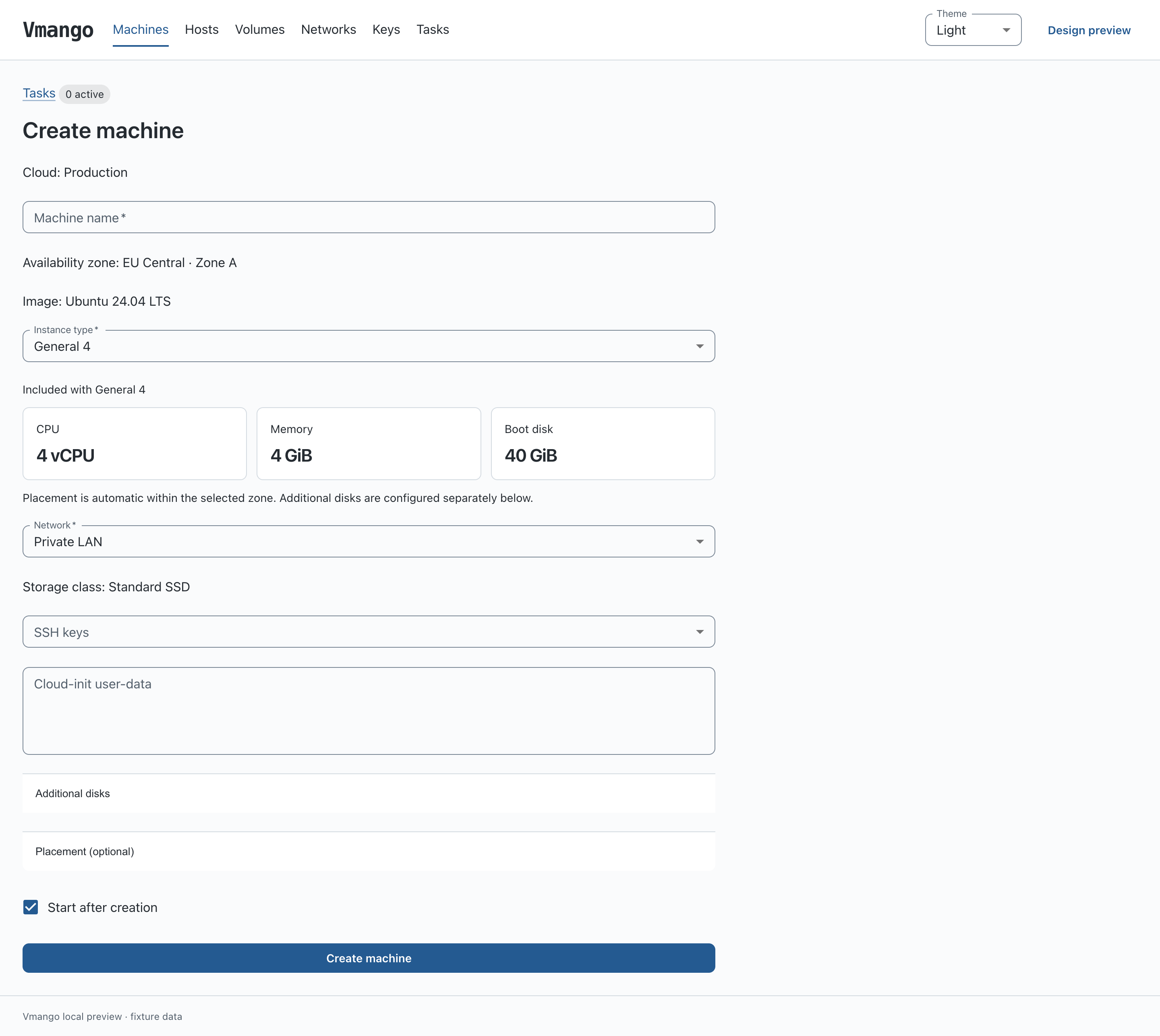
Choose an image, instance type, network and SSH keys. Demonstration data.
Replace the cloud "local" block in the
quick-start configuration with this example, keeping its image
and API settings. It connects a local Linux/KVM host and offers two instance
types. It uses the existing ubuntu-24.04-x86_64-bios image definition and assumes
an active libvirt network and a writable storage pool, both named default.
# Replace the quick-start cloud block; retain its nested images and API settings.
cloud "local" {
    name = "Local cloud"
    # Keep the nested image definitions from vmango.quickstart.conf here.

    zone "local" { name = "Local zone" }
    network "lan" { name = "Private LAN" }
    storage_class "standard" { name = "Standard storage" }

    instance_type "small" {
        name = "Small"
        cpu = 2
        memory_mib = 2048
        boot_disk_gib = 20
    }

    instance_type "medium" {
        name = "Medium"
        cpu = 4
        memory_mib = 4096
        boot_disk_gib = 40
    }

    host "local" {
        uri = "qemu:///system"
        config_drive_pool = "default"
        zone = "local"
        cpu_reserve = 1
        cpu_overcommit = 4
        memory_reserve_mib = 1024
        network "lan" { network = "default" }
        storage_class "standard" { pool = "default" }
    }
}
Download the cloud configuration example
Continue with configured clouds and scheduling to add hosts, choose resource reserves and configure placement rules.
Download Vmango, connect a libvirt host and open the web interface.
Run the Vmango Docker image on Linux amd64 or arm64 and connect existing libvirt hosts.
Organize machines, disks, keys and templates into workspaces, and choose where to work.
Install release packages on Ubuntu, Debian and RHEL.
Find cloud images, register them in Vmango and launch a virtual machine.
Define a cloud catalog and automatically place machines on prepared libvirt hosts.
Explore Swagger UI, authenticate API clients and automate virtual machine operations.
Save reusable user-data and select one template when creating a machine.
Build and run Vmango for local development.